There Is No Single Best Authentication Method
Does There Have to Be Only One Entrance?
In the previous Engineering Time,
"Authentication Has Become an Entrance"
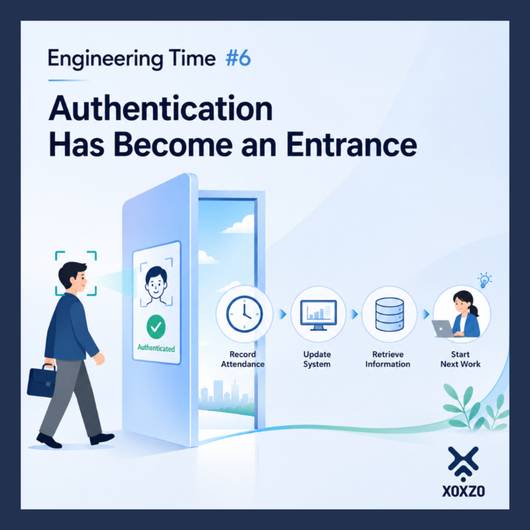
we talked about authentication not as a gate that stops users, but as an entrance that helps them move forward to the work or service that comes next.
Just as opening an entrance allows someone to walk inside, a system can use successful authentication to automatically start and complete the processes that follow.
The user only needs to authenticate.
Now, let's think a little more about that entrance.
Face authentication.
Fingerprint authentication.
Passkeys.
Passwords.
One-time passwords sent by SMS.
Authentication using a phone call.
There are many different methods.
So which one is the best?
Does there have to be only one entrance in the first place?
Perhaps there is no single answer that we can simply call "the best."
Different People, Different Environments
Systems are used by people.
And people do not always use systems in the same place, on the same device, or under the same conditions.
Someone may be accessing a service from their usual smartphone.
Someone else may have just changed to a new device.
Another person may be using a computer.
Someone may be accessing the service while away from home.
Face authentication may sometimes fail.
A device may not support a passkey.
Someone may forget a password.
There may be situations where an SMS cannot be received immediately.
Or the user may be somewhere they cannot answer a phone call.
That means even a very convenient authentication method is not necessarily:
"the best method for every person in every situation."
Don't End with "Authentication Failed"
Imagine a service that uses face authentication.
Normally, the process is simple.
Authenticate the face.
Confirm the person's identity.
Continue to the service.
But what if authentication does not work that day?
If the process simply ends with:
"Authentication failed."
what happens?
The "entrance" we discussed in the previous article has now become a gate that actually stops the person.
That is where another design question becomes important:
"If this method doesn't work, what happens next?"
Design Another Path to the Destination
For example:
Face authentication is unavailable.
Is there another authentication method that can be used?
A passkey cannot be used.
Is there another secure way to verify the person's identity?
An SMS cannot be received.
Is there another way to continue the authentication process?
The important point here is not to establish a fixed sequence such as:
Face Authentication → Passkey → SMS → Voice.
Different services require different levels of security, and users operate in different environments.
What matters is this:
If one path is unavailable, how can that person still reach their destination safely?
Good design considers that question too.
More Options Do Not Automatically Mean More Security
However, simply providing many authentication methods does not automatically make a system better.
Even if a strong authentication method is available, an easier alternative could become a weakness in the entire system if it allows someone to bypass that stronger protection.
That is why we need to think about both:
"providing another path for usability"
and
"maintaining security."
They need to be designed together.
There are also cases where multiple authentication methods or factors are combined to increase security.
Providing an alternative path when one method cannot be used.
Combining multiple factors to strengthen authentication.
They may look similar, but they do not serve exactly the same purpose.
The goal is not simply to add more choices, but to understand why each method is needed.
That is also an important part of authentication design.
"Best" Depends on the User
When a new authentication technology appears, we may think:
"This is the way to do it from now on."
Or:
"A new era has arrived."
And of course, new technologies continue to make authentication more convenient and more secure.
But the environments of the people using our systems do not all change at the same speed.
They use different devices.
They have different network conditions.
They use services in different places.
And sometimes, things simply don't work as expected.
So instead of applying one definition of "best" to everyone, perhaps we should design for this:
Can this person, in this situation, move forward safely?
Thinking about that when we design a system may bring us closer to the "best authentication" for each user.
Engineering Time
When choosing an authentication method, we often ask:
"Which one is the best?"
But perhaps the question we really need to ask is:
"If this method doesn't work, what happens next?"
People are not all the same.
Their devices, locations, and circumstances are different.
So instead of designing only one path that works under normal conditions, we can also think about alternative paths that allow people to reach their destination safely when necessary.
There is no single best authentication method.
Good authentication design is not just about choosing one method.
It is also about designing the paths that help people move forward.
That, too, is system design for people.

Aiko Yokoyama
Customer Success and Operations
Joined January 2014. Experienced as a clerk in Foreign Trading company, started and maintained an online supplement store. Lived in overseas for 15 years. Looking forward to communicating our customers with the broad view based on those experience.